MOD-00 Roblox bootstrapper · Windows PC

Bloxstrapthe open-source Roblox launcher you can rebuild part by part

Bloxstrap replaces the standard Roblox bootstrapper on Windows. It still installs and updates Roblox for you, then bolts on the pieces the default launcher leaves out: local mods that survive updates, Discord Rich Presence, server location hints and game history. Explore what each feature does and how to configure it.

Platform
Windows PC
Licence
MIT, open source
Runtime
.NET 6 Desktop
Price
Free
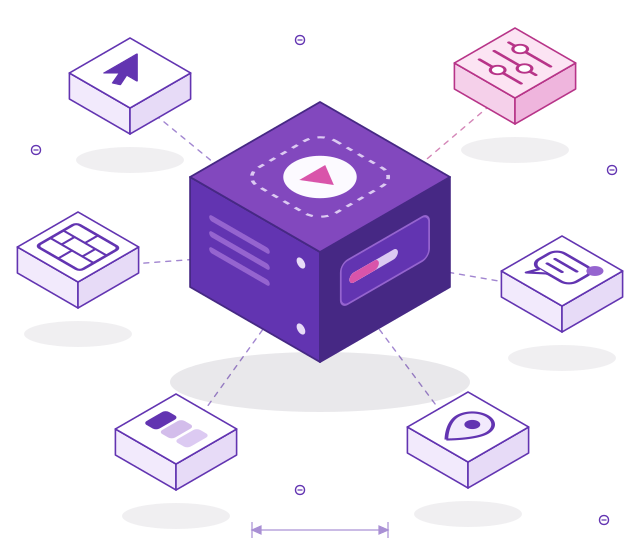
Exploded illustration of the Bloxstrap launcher core with separate modules for mods, engine settings, Discord presence, server location, themes and Roblox Studio MOD-01 Mods folder MOD-02 Engine settings MOD-03 Rich Presence MOD-04 Server location MOD-05 Themes MOD-06 Studio

§ 02 What is Bloxstrap

What is Bloxstrap?

Bloxstrap is an alternative replacement for the small program that downloads, updates and starts Roblox on a Windows PC — the bootstrapper. You use Roblox exactly as before; the difference is what happens around the game.

Because Bloxstrap manages its own copy of the Roblox client, it can re-apply your changes every time Roblox launches. Swap the mouse cursor or a sound once and it stays swapped after Roblox updates, instead of being wiped as hand-edited files are. While you play, an optional background tracker works out which experience you're in, which is what powers Discord Rich Presence, server location hints and your game history.

The project is open source, started by the developer pizzaboxer in 2022 and now hosted under the Bloxstrap Labs organisation on GitHub. According to the project, it doesn't touch the running Roblox client process at all — it is a launcher, not exploit software.

Source check: For current releases and technical documentation, start with the Bloxstrap GitHub repository and bloxstraplabs.com.
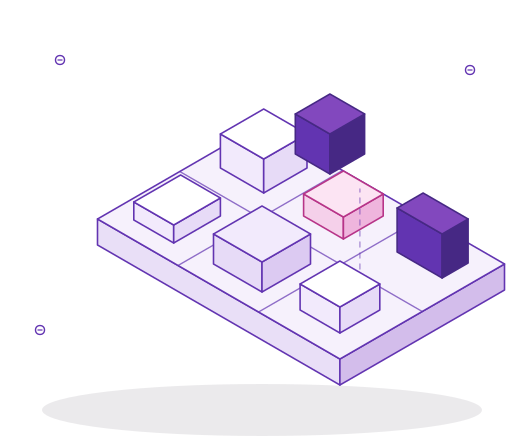
Parts tray holding the separate components that make up Bloxstrap, with one part lifted out
  1. P-01BootstrapperDownloads, updates and launches the Roblox client.
  2. P-02Modifications folderFiles copied over the client on every launch.
  3. P-03Engine settingsAllowlisted Fast Flags such as rendering quality.
  4. P-04Activity trackerTray process behind Rich Presence and history.
  5. P-05Launch menu & SettingsWhere you start Roblox or Studio and change options.

§ 03 Assembly board

Bloxstrap features, module by module

Everything below is built into current releases. Engine settings are the one area that has shrunk: Roblox now decides which Fast Flags players can change, so treat old “best settings” lists with suspicion.

Core module · MOD-01

Local mods that survive Roblox updates

Replace Roblox's local assets — sounds, cursors, fonts, textures — with your own files. Bloxstrap keeps them in a separate folder and lays them over the client each time it launches, so an update can't quietly undo your changes.

  • Presets for common swaps such as fonts and mouse cursors
  • Drop in downloaded content or ExtraContent folders
  • Changes are cosmetic and only visible to you

Bloxstrap\Modifications\content\sounds\ouch.ogg

MOD-03

Discord Rich Presence

Shows friends on Discord which experience you're in, with an option to show your account.

MOD-04

Server location hints

A notification tells you roughly where the server you joined is located.

MOD-07

Game history

Keeps a list of experiences you've played, reachable from the tray icon.

MOD-06

Roblox Studio support

Since v2.11.0 Bloxstrap can act as your Studio bootstrapper too.

MOD-05 · Appearance

Bootstrapper styles and custom themes

Choose how the launch window looks, change its icon and title text, or load a custom theme (added in v2.9.0).

MOD-02 · RestrictedAllowlist

Engine settings

Options built on Roblox's Fast Flags, such as preserving rendering quality when Windows display scaling is above 100%. Since 30 September 2025 only flags on Roblox's allowlist take effect.

MOD-08 · Extras

Small behaviours

“Don't exit to Desktop app” closes Roblox fully when you leave a game, and custom integrations can launch other programs alongside Roblox.

§ 04 Assembly line

How Bloxstrap works in four stations

Bloxstrap sits between you and the Roblox client. Each launch passes through the same line.

  1. 01STATION

    Download

    Get Bloxstrap from the project's GitHub Releases, bloxstraplabs.com, or Windows Package Manager.

    winget install bloxstrap
  2. 02STATION

    Install

    The installer asks where to put Bloxstrap and which shortcuts to create, and prompts for the .NET 6 Desktop Runtime if it's missing.

    %localappdata%\Bloxstrap
  3. 03STATION

    Configure

    Open Settings to switch on activity tracking and Rich Presence, add mods, and pick a bootstrapper style.

    Settings → Save
  4. 04STATION

    Launch

    Start Roblox through Bloxstrap once. It registers as the launch handler, so joining from the website goes through it from then on.

    Launch Roblox
WORK ORDER · SETUP-01

Installation and setup

Check these before you start. Most failed installs come down to the runtime or a download from the wrong site.

  • A Windows PC — there are no macOS, Linux or mobile builds
  • The .NET 6 Desktop Runtime (Bloxstrap prompts you if it's missing)
  • Free disk space for Roblox plus headroom for background updates (v2.11.0 raised this to 5 GB)
  • A download from GitHub, bloxstraplabs.com or winget — nowhere else

Prefer the command line?

winget install bloxstrap
  1. Fetch the installer

    Open the Releases section of bloxstraplabs/bloxstrap on GitHub and download the latest Bloxstrap-v….exe, or use winget.

  2. Run it and choose a location

    The default is %localappdata%\Bloxstrap. The installer is the only place to pick a different folder without moving files by hand.

  3. Install the runtime if asked

    If Bloxstrap asks for the .NET 6 Desktop Runtime, install it, then run Bloxstrap again.

  4. Set your preferences

    In Settings, enable the integrations you want, add mods and press Save — changes apply only when you save.

  5. Launch Roblox through Bloxstrap once

    This registers Bloxstrap as Roblox's launch handler. Use Bloxstrap's “Launch Roblox” shortcut afterwards; the standard Roblox Player icon undoes the registration.

§ 06 Reference matrix

Bloxstrap compatibility

Platforms and Roblox products · checked November 2026
Target Status Notes
Windows PC Supported The only platform the project supports.
Roblox Player Supported Bloxstrap's main job: installing, updating and launching the client.
Roblox Studio Supported Added in v2.11.0 via “Launch Roblox Studio” in the menu.
macOS No build Use the standard Roblox app.
Linux Unsupported No Linux build; compatibility layers are outside project support.
Android No build Any “Bloxstrap APK” is not from the project.
iPhone / iPad No build No iOS or iPadOS version exists.
Consoles No build Xbox and PlayStation Roblox apps can't use Bloxstrap.

§ 07 Release information

Bloxstrap release information

Releases are published on GitHub and mirrored in the version list on bloxstraplabs.com. The project's README says Bloxstrap is no longer under active development, but maintenance releases have continued to follow Roblox changes.

Latest release seen · Nov 2026

v2.11.4

Published 5 August 2026

  • Fixed Discord Rich Presence breaking after Roblox log changes
  • Fixed server type information and occasional invisible text on launch
  • No confirm-launch dialog when starting Roblox Studio

Check the repository's Releases section for anything newer before installing.

  1. 2.9.0
    Custom themesNew launch arguments and Rich Presence changes.
  2. 2.9.1
    Bug fixes403 error, parentheses in mod paths, Studio package downloads.
  3. 2.10.0
    Trimmed to what still worksPresets and multi-instance launching removed after Roblox changes.
  4. 2.11.0
    The Studio UpdateStudio support; Fast Flag editor back with an allowlist warning.
  5. 2.11.4
    Maintenance fixesRich Presence and server-type fixes.

§ 08 Use cases

Who Bloxstrap is for

If none of these sound like you, the standard launcher is perfectly fine — Bloxstrap doesn't make Roblox itself faster or unlock anything in-game.

U-01

You want friends to see what you're playing

Discord Rich Presence puts the experience name on your Discord profile, and the tray menu can copy an invite link to your exact server — it works even for friends without Bloxstrap.

U-02

You miss a sound, cursor or font

Mods let you replace local assets and keep them through updates. They're cosmetic and only change what you see and hear.

U-03

You wonder why a server feels laggy

Server location hints show roughly where the server you joined is located, which often explains high ping.

U-04

You build in Roblox Studio

Studio support (v2.11.0 and later) lets the same tool manage Studio launches and updates.

U-05

You'd rather Roblox closed when you leave

Don't exit to Desktop app restores the old behaviour of Roblox closing fully, at the cost of app-dependent features such as accepting in-game invites.

U-06

You use a high-DPI display

Preserve rendering quality stops Roblox lowering its rendering resolution when Windows scaling is above 100%.

Open crate receiving a download arrow next to a progress panel

§ 09 Download

Download Bloxstrap

The button below downloads the source archive (main.zip) of the bloxstraplabs/bloxstrap repository on GitHub. It contains the project's C# code, which you can read or build yourself.

  • Windows PC only
  • .NET 6 Desktop Runtime
  • MIT licence
  • Hosted on GitHub
Download Bloxstrap

§ 10 Diagnostics

Troubleshooting Bloxstrap

Start with the symptom, check the likely cause, apply the fix. The troubleshooting article goes deeper on each.

CodeSymptomLikely causeFix
E-01SymptomRoblox opens without BloxstrapCauseBloxstrap isn't the registered launch handlerFixLaunch Roblox through Bloxstrap once, then stop using the standard “Roblox Player” icon.
E-02SymptomBloxstrap shows nothing when openedCauseOutdated .NET 6 Desktop RuntimeFixInstall the latest .NET 6 Desktop Runtime; check the version under “Microsoft Windows Desktop Runtime” in Apps.
E-03SymptomRoblox crashes or won't startCauseA bad mod or engine settingFixUninstall without keeping settings, test plain Roblox, reinstall, then re-add changes one at a time.
E-04SymptomAn engine setting does nothingCauseThe flag isn't on Roblox's allowlistFixRemove it. Since 30 Sept 2025 Roblox ignores non-allowlisted Fast Flags.
E-05SymptomDiscord doesn't show your gameCauseActivity tracking off, or an old buildFixEnable activity tracking and Rich Presence, keep Discord's desktop app open, update to the latest release.
E-06SymptomA mod stopped workingCauseRoblox changed the file or its locationFixCheck the file still mirrors the client's folder layout; mods can break after Roblox updates.
E-07SymptomMissing cursor or broken pop-outs in fullscreenCauseExclusive fullscreen (Alt+Enter)FixUse Roblox's normal borderless fullscreen instead.

§ 12 Inspection report

Bloxstrap pros and cons

PASS Where it earns its place

  • Open source. MIT-licensed code anyone can inspect, fork or build.
  • Mods that stick. Asset swaps are re-applied every launch instead of vanishing after updates.
  • Built-in extras. Rich Presence, server location hints and game history without separate tools.
  • Covers Studio. One launcher for Player and, since v2.11.0, Studio.
  • Free. No paid tier for the software itself.

WATCH What to weigh up

  • Windows only. Nothing for Mac, Linux, Android or iOS.
  • Fewer engine tweaks. Roblox's allowlist removed many popular presets in 2025.
  • Slower development. The README says it's no longer actively developed; issues may wait.
  • Analytics on by default. Added in v2.8.0; you can switch it off in Settings.
  • Copycat sites. Fake “Bloxstrap” downloads are common, so the source matters.

§ 14 Workshop manual

Bloxstrap FAQ

Twenty answers, split into two tool groups. Pick a group, then open a question.

Tool group A · Setup, safety & platforms

The project itself is open source under the MIT licence, so anyone can read the code, and its maintainers say the installer comes back clean on VirusTotal. The real risk is copies: plenty of look-alike sites offer “Bloxstrap” downloads, and security vendors have flagged several of them for phishing or malware. Get it only from the GitHub repository or bloxstraplabs.com, which the project names as its two official sources.

The project's answer is no: Bloxstrap doesn't touch the running Roblox client the way exploit software does. Roblox's own announcement of the Fast Flag allowlist also covers Bloxstrap directly — flags outside the allowlist are simply ignored, and Roblox says no action is taken against people who try to use them. Nobody outside Roblox can promise how its moderation will behave in future, but Bloxstrap is a launcher, not a cheat.

It's github.com/bloxstraplabs/bloxstrap. Older tutorials may point to github.com/pizzaboxer/bloxstrap, the project's earlier home before it moved under the Bloxstrap Labs organisation. The ready-to-run Windows installer is attached to each entry in the repository's Releases section.

Bloxstrap was started by the developer known as pizzaboxer; the repository dates from August 2022. It now lives under the bloxstraplabs GitHub organisation and has taken code from many contributors. The README currently says the project is no longer under active development, though maintenance releases kept arriving through 2026. This article can't speak for who does what inside the project today.

No. Bloxstrap is a Windows desktop program, and the project says it is only supported on Windows PCs. Any APK, Play Store listing or iOS app using the Bloxstrap name isn't from the project and should be treated as suspicious. Our Android explainer covers what mobile players can change instead.

There is no macOS or Linux build. Some people run Windows software on Linux through compatibility layers, but that's outside what the project supports, and Roblox doesn't offer a native Linux client in the first place. If you're on a Mac, the standard Roblox app is the supported route.

The .NET 6 Desktop Runtime. If it's missing, Bloxstrap will prompt you to install it; install the runtime first, then run Bloxstrap again. If Bloxstrap opens nothing at all, an outdated .NET 6 runtime is the usual cause — check “Microsoft Windows Desktop Runtime” in Windows Settings → Apps.

Yes. The project's README lists winget install bloxstrap, run in a Command Prompt window, as an alternative to downloading the installer by hand. It's a convenient way to avoid fake download pages entirely.

By default in %localappdata%\Bloxstrap, which is C:\Users\<you>\AppData\Local\Bloxstrap. Roblox client versions sit in its Versions folder and your mods go in Modifications. You can pick another folder during installation, or close everything and move the folder later.

Open Windows Settings → Apps, search for Bloxstrap, select it and choose Uninstall. If pressing Play on the Roblox website no longer opens anything afterwards, run the standard Roblox installer from roblox.com so its own launcher takes over again.